Personal support from Vienna · Web design, SEO & GEO, software
Your shop is online but slow, confusing or bringing in too few orders? Our WooCommerce optimisation makes your shop measurably faster, with a shorter checkout and clean SEO – and, if you wish, a relaunch or migration to WooCommerce.
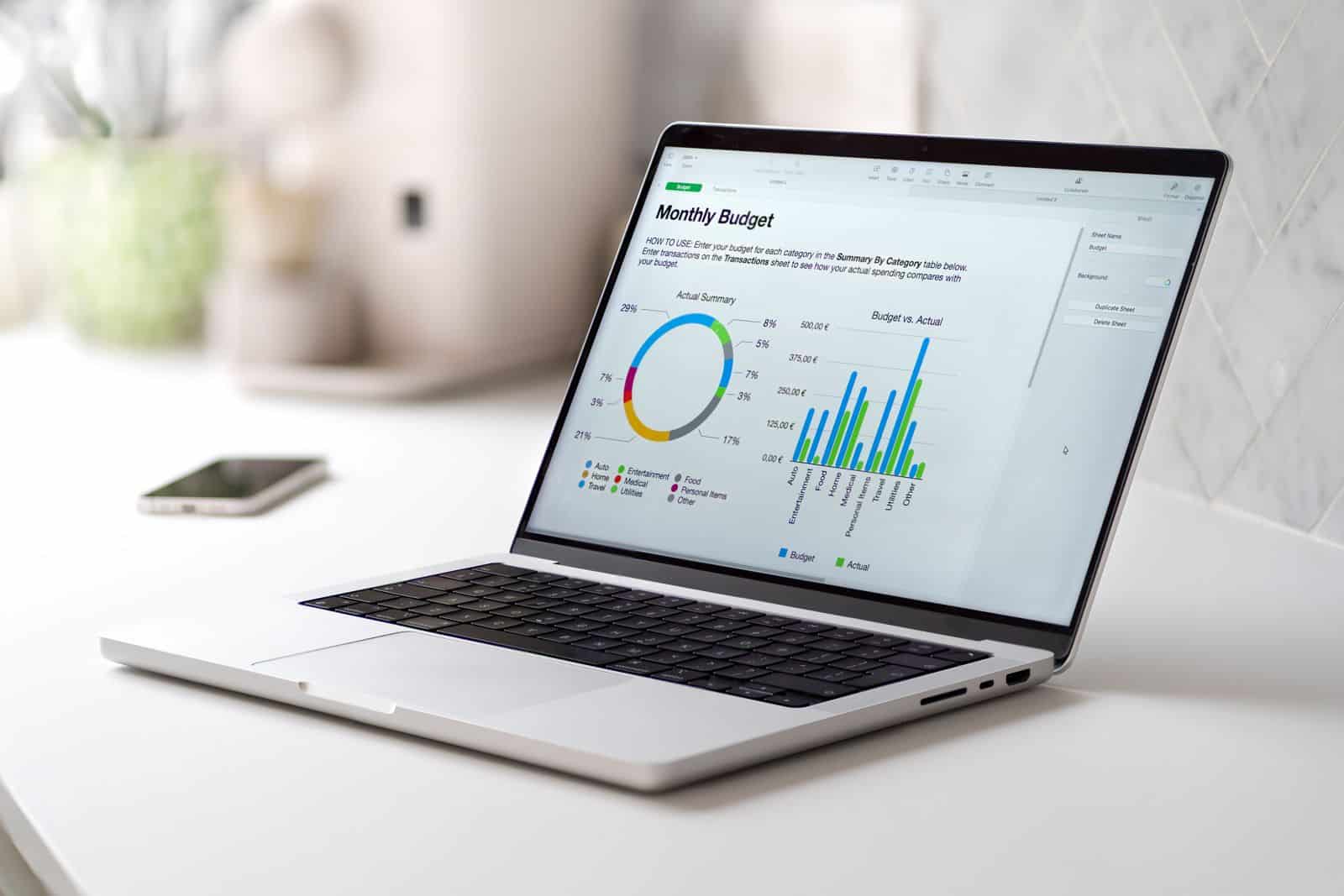
WooCommerce optimisation means making an existing online shop faster, more secure and better at selling: improving loading time and Core Web Vitals, cleaning up plugins and the database, simplifying the checkout, fixing SEO errors and adjusting hosting. Kodlogy Technologies GmbH in Vienna takes care of this – including relaunch and migration to WooCommerce, in English or German.
Send us your shop’s address – we will show you the biggest levers free of charge.
Many retailers get used to problems that drive customers away every day. Do you recognise any of these?
Product pages and categories take several seconds – especially on smartphones, where most visitors shop.
Many people add products to the basket, but only a few complete the order – often because of a cumbersome checkout.
Rankings and visitor numbers from Google decline without any clear reason – often technical errors are behind it.
After every update something stops working, so updates get postponed – a security risk.
Dozens of plugins, and nobody knows exactly what they are needed for or what they cost.
The shop no longer looks up to date and no longer fits your brand.
We measure first and then make targeted changes – so every measure has a traceable effect and you can see what you are investing in.
Want to switch from Shopify, a website builder or an outdated shop system to WooCommerce? We transfer products, categories, customer accounts, orders and reviews with validation – and make sure downtime stays minimal.
To make sure your Google rankings survive the move, we record all previous URLs, set up 301 redirects and check indexing and error reports after go-live. You get a clear roadmap from planning to launch.
Makes sense if the theme and basic structure are solid. We fix the biggest bottlenecks, simplify the checkout and clean up plugins and the database. This usually brings noticeable results quickly with manageable effort – without your customers having to get used to anything new.
Makes sense if the theme and plugins are outdated, the design no longer fits or every change creates new problems. In a relaunch, we rebuild the shop on a lean, current basis – with modern design, a clean structure and your data and URLs carried over.

Good caching and optimised images help a lot – but the basket, account and checkout cannot be fully cached. That is why a shop needs more server power than a simple website. Outdated PHP versions, scarce resources or overloaded servers slow down every optimisation.
With our managed hosting Vienna, we look after servers, updates and backups from a single source. If your shop lacks features or interfaces, our team steps in as WooCommerce developers in Vienna.
Free analysis of loading time, plugins, checkout, SEO and hosting.
Prioritised list with effort and expected benefit.
Changes on a staging copy, tested before go-live.
Before-and-after comparison of loading time and key figures.
Ongoing maintenance and optimisation so your shop stays fast.
Clear services, fixed price after the free shop check.
Initial assessment
based on the action plan
after analysis
4.9 111 reviews
Gepostet auf Google
 Marko Stokic
Trustindex überprüft, ob die Originalquelle der Bewertung Google ist.
Sehr kompetent, zuverlässig und vielseitig! Ob IT, Webdesign, Onlineshop oder Grafik hier bekommt man alles aus einer Hand. Absolute Empfehlung!Gepostet auf Google Malte RottlerSuper Kompetente BeratungGepostet auf Google
 Jobs FLEXXPERTIch bin absolut begeistert von der Arbeit von Kodlogy! Sie haben all meine Wünsche und Vorstellungen mit viel Geduld und Professionalität perfekt umgesetzt. Obwohl ich unzählige Sonderwünsche hatte, wurde alles genau so umgesetzt, wie ich es mir vorgestellt habe. Besonders beeindruckt hat mich die ständige Erreichbarkeit und die schnelle Reaktion auf Fragen und Probleme. Kodlogy ist ein wirklich zuverlässiger Partner, den ich jedem nur wärmstens empfehlen kann. Vielen Dank für die großartige Zusammenarbeit!Gepostet auf Google
 Ibrahim KaraerSehr Professionell und hat echt kompetent.
Tell us your WooCommerce shop’s address and your biggest problem. We will get back to you with an honest assessment and the most important levers.
Takes 1 minute to fill in. We will get back to you personally.
A slow shop rarely has just one cause. If you want to speed up WooCommerce, you have to check several layers:
We first measure where most time is lost and fix the biggest bottlenecks first. That way you see noticeable results quickly, without the shop having to be rebuilt.
Many shop owners believe a completely new shop is needed for more speed. Usually that is not true. To improve WooCommerce loading time, compressed images in modern formats, clean caching, removing unnecessary plugins and deferred loading of external scripts are often enough.
Design, content and processes remain unchanged. Your customers only notice that pages appear faster and the basket responds more smoothly.
With the Core Web Vitals, Google assesses how quickly and stably a page loads for real visitors. The WooCommerce Core Web Vitals come down to three values: LCP measures when the largest content is visible, INP how quickly the page responds to clicks, and CLS whether elements jump around while loading.
Shops often struggle with large product images, font swaps and cookie banners that shift content. We optimise these points specifically and check the values in Google Search Console.
Year after year, the database collects old drafts, expired session data, orphaned entries from deleted plugins and thousands of revisions. This slows down the back end and the ordering process.
During WooCommerce database optimisation, we remove this legacy data after a full backup, check indexes and, if needed, switch to the faster HPOS order storage. Afterwards the admin area in particular responds noticeably faster, and reports load more quickly too.
More visitors bring little if they do not buy. In WooCommerce conversion optimisation, we analyse where customers drop out: on the product page, in the basket or at checkout.
Typical measures to reduce cart abandonment are fewer mandatory fields, shipping costs visible on the product page, guest checkout, express payments and clear trust signals. We measure each change individually so you can see exactly what really works.
Moving from Shopify to WooCommerce is attractive for many retailers because there are no more platform fees and the shop belongs to you. Preparation is what decides success.
In a WooCommerce move, we transfer products, categories, customers, orders and content, create a complete list of all old URLs and set up 301 redirects. After the switch, we monitor Search Console so rankings and revenue stay stable.
A relaunch is more than a new design. WooCommerce relaunch cost depends on how much of the existing shop can be reused, how many products and how much content are carried over, and whether new features or interfaces are added.
Step-by-step optimisation is often cheaper than a complete rebuild. After a free shop check, we tell you honestly which route makes more sense and prepare a fixed-price quote for the option you choose.
Many shops lose visibility through technical details. Good WooCommerce SEO starts with unique page titles, clean category URLs and filter pages that Google does not treat as duplicate content.
Add to that helpful category texts, structured product data with price and availability, internal linking and fast loading times. Clear answers in FAQs and product descriptions also help AI search tools understand and recommend your products. We start with the pages that already bring in revenue.
Without reliable figures, every optimisation is guesswork. We set up WooCommerce tracking with Google Analytics 4 and, on request, Google Ads and Meta, so product views, basket, checkout steps and purchases are recorded correctly.
We make sure tracking only starts after consent in the cookie banner. That keeps you privacy-compliant while still showing which channels bring in revenue and where customers abandon their purchase.
Many shops run outdated versions because the owner is afraid something will stop working after an update. That concern is justified, but it can be solved.
We first install every WooCommerce update on a copy of the shop, test product pages, basket, checkout, payment methods and emails, and only then go live. A backup is always made beforehand. That keeps your shop secure and compatible with current extensions.
If you want online shop optimisation, you first need an honest assessment. In the free WooCommerce shop check, Kodlogy Technologies GmbH in Vienna checks speed, Core Web Vitals, plugins, security, SEO basics and the ordering process.
You receive a clear overview with priorities. This also applies to businesses that want their website optimised and the shop area included. You then decide in your own time which measures we should implement.
The key answers – phrased the way clients, Google and AI assistants ask them.
A WooCommerce agency knows the specific requirements of online shops: payment plugins, shipping, taxes, product data models, performance with many products and legal requirements. When optimising existing shops in particular, this knowledge makes the difference, because causes often lie in the interplay of plugins, database and hosting.
An analysis with a list of measures is usually possible at short notice. Implementation depends on the scope – individual loading-time measures are quick, while a relaunch or migration needs more planning. We deliver interim results early so you can see progress and give feedback.
Regular updates, SSL, a web application firewall, regular backups, secure checkout processes, two-factor login for admins and code reviews for custom extensions. On top of that come monitoring alerts so problems are noticed early.
We work with different models: a fixed price for analysis and clearly defined measures, a project price for a relaunch or migration, and monthly support for ongoing optimisation. After the free shop check, you receive a transparent quote with clearly defined services.
Common causes are too many or poorly coded plugins, large images, a bloated theme, missing caching, an inflated database and hosting that is too weak. It is usually a combination – which is why we measure first before changing anything.
Compress images and serve them in modern formats, use lazy loading, remove unnecessary plugins, set up caching and a CDN, clean up the database and use a current PHP version and suitable hosting. It is important to exclude the basket and checkout from the cache correctly.
Core Web Vitals are Google metrics for a page’s loading speed, responsiveness and visual stability. They feed into the assessment of user experience, and fast shops lose fewer visitors before purchase.
Fewer mandatory fields, guest checkout, suitable payment methods, showing shipping costs early, clear delivery times and trust signals all help. We analyse where customers drop off and optimise those steps specifically.
Yes. Products, categories, customer accounts, orders and reviews can be transferred in many cases. We check in advance which data can be exported and plan the migration so that sales are interrupted for as short a time as possible.
The risk can be greatly reduced. We record all previous URLs, set up 301 redirects, carry over titles and descriptions and, after the move, check indexing and errors in Google Search Console.
When the theme and plugins are outdated, the design no longer fits the brand or problems can only be solved with workarounds. If the basis is solid, targeted optimisation usually delivers results faster and more cheaply.
Yes. We implement larger changes on a staging copy and test them there. Only after your approval do we transfer them to the live shop, ideally at a quiet time.
We measure loading times and database queries of individual pages and analyse how much processing time each plugin causes. We then recommend what can be replaced, merged or removed.
Often, yes. A shop needs more power than a simple website, because the basket and checkout cannot be fully cached. Managed hosting with current software and suitable performance is often one of the biggest levers.
We check indexing, duplicate content caused by filters and variants, structured data for products, internal linking, category texts and loading time. The result is a prioritised list of the measures that bring the most.
Yes. We set up GA4 with e-commerce events – from product view to basket to purchase – and take cookie consent into account. That way you can see where revenue is lost in your shop.
Updates for WordPress, WooCommerce and plugins are released continuously, and security updates should be installed promptly. With a maintenance contract, we regularly take care of tested updates, backups and monitoring for you.
Yes. Over time, old revisions, expired session data, remnants of deleted plugins and orphaned entries accumulate. After a backup, we clean up and optimise the database, which can noticeably speed up queries.
Yes, that is actually the most common case. We take over existing WooCommerce shops regardless of who built them, analyse their condition and document the results clearly.
Kodlogy Technologies GmbH in 1110 Vienna optimises existing WooCommerce shops in Vienna and across Austria – from loading time and checkout to SEO, relaunch, migration and managed hosting. As a WooCommerce agency Vienna clients can reach in English or German, we keep everything clear and transparent.
We check loading time on mobile and desktop, plugins and theme, update status, checkout, basic SEO factors and hosting. You receive a short assessment with the most important levers.
Before we start, we document loading times, Core Web Vitals and key figures such as conversion rate and checkout abandonment. After implementation, we compare the same values so the effect of each measure becomes visible.
Yes. Many improvements concern fields, their order, payment methods, information on shipping and delivery time, or error messages. The design can remain unchanged – your customers only notice that ordering is easier. That is the core of WooCommerce checkout optimisation.
Not necessarily. If the theme is actively maintained and does not load an excessive amount of code, we optimise on that basis. If it is outdated or very heavy, we recommend a gradual switch or a relaunch.
Yes, indirectly. Fast, technically clean shops with clear product information and structured data are easier for search engines and AI assistants to process. For targeted visibility in ChatGPT and similar tools, we offer GEO as a separate service.
Send us your shop’s address using the form or give us a call. We carry out the free shop check, discuss the results with you and then send you a quote.
Even more answers to questions our clients ask us – and that people ask Google, ChatGPT or Gemini.
The easiest way is with Google PageSpeed Insights and the Core Web Vitals report in Google Search Console. There you see values from real visitors. Other important signs are long loading times on mobile, a sluggish basket and a slow admin area. Kodlogy measures these values in the free shop check and explains them clearly.
A score in the green range is ideal, but the Core Web Vitals of real visitors matter more. Shops with many images and payment scripts rarely achieve a perfect score. What matters is that content appears quickly, the page responds fast and nothing jumps. We optimise for real user experience, not just for a number.
A CDN helps mainly if your customers come from many countries or the shop has a very large number of images. For shops with customers mainly in Austria, a fast server nearby often brings more. A CDN can also protect against attacks. Kodlogy checks whether it is worthwhile for your shop.
Images are often the biggest slowdown. Files that are too large, the wrong formats and missing deferred loading cost a lot of time. We convert images to modern formats such as WebP, serve sizes suited to each screen and only load images outside the visible area when scrolling. The quality remains visibly the same.
Object caching stores frequent database queries in memory, for example with Redis. This relieves the database and especially speeds up the basket, checkout, customer account and admin area, which cannot be cached in the classic way. It requires hosting that supports Redis. Kodlogy sets it up and checks the effect.
The basket, checkout and customer account are personal pages and, for good reason, are not cached. What counts here is server performance, the database and the number of plugins that run on every request. Payment and tracking scripts also slow things down. We analyse which processes cost time and optimise exactly these pages.
There is no fixed limit; quality is what matters. One poorly coded plugin can slow things down more than ten good ones. Duplicate functions, orphaned extensions and plugins without updates are problematic. We check every plugin for benefit, loading time and security and recommend what can be replaced or removed.
PHP is the programming language that WordPress and WooCommerce run on. Newer versions are much faster and receive security updates; old versions do not. Switching can noticeably speed up the shop. Beforehand, we test on a copy whether all extensions are compatible, so everything works after the switch.
Usually transferred are products with variants and images, categories, customers, order history, coupons, reviews and content pages. SEO data such as page titles and descriptions can also be carried over. Exactly what is possible depends on the previous system. Kodlogy prepares an overview in advance so nothing is lost.
Usually not, because passwords are stored encrypted and every system encrypts differently. Customer accounts with addresses and orders are still transferred. Customers simply set a new password the first time they log in. We prepare a friendly email that explains the switch and avoids queries.
We record all previous URLs of products, categories and pages and assign each one the matching new address. Then we set up permanent 301 redirects. Visitors and Google land in the right place, and the value of existing links is preserved. After the move, we check Search Console for error pages.
Yes, switching is also possible from Magento, PrestaShop, Gambio or custom-built systems. The data is exported, cleaned and imported into WooCommerce. The older and more customised the system, the more important a thorough analysis in advance. Kodlogy Technologies GmbH in Vienna plans the move step by step.
The time needed depends on the scope: new design, number of products, data to be transferred and new features. A relaunch with an existing product range is quicker than a new build with many interfaces. After the shop check, you receive a concrete timeline. The old shop stays online as normal until the switch.
In most cases yes, because a relaunch creates new design, structure and often content too. Optimisation specifically improves speed, checkout and SEO without rebuilding everything. A relaunch makes sense when the technical basis is outdated or the shop no longer fits the business.
Customers are more likely to buy if their preferred payment method is offered. In Austria, credit card, PayPal, Klarna, eps bank transfer as well as Apple Pay and Google Pay are common. Express payments shorten the checkout on mobile considerably. We check which payment methods your target audience uses and integrate them properly.
A one-page checkout shows all details on one page and can reduce abandonment, because customers see the scope immediately. With many fields, however, it looks cluttered. What matters are few mandatory fields and clear steps. We test which option works better for your customers and measure the effect.
Product pages often decide the purchase. Good pages show several photos, clear benefits, technical data, delivery time, shipping costs and reviews. A clearly visible buy button and answers to typical questions reduce uncertainty. We revise your most important product pages first, because that is where the effect is greatest.
In A/B testing, visitors see two versions of a page and you measure which one brings more sales. Meaningful results, however, need enough visitors. For small shops, proven improvements and a before-and-after measurement are usually more sensible. Kodlogy recommends the method that suits your visitor numbers.
With a properly set up e-commerce report in Google Analytics 4, you see how many visitors reach the product page, basket and checkout. Heatmaps and session recordings, for example with Microsoft Clarity, also show where users hesitate. Both only run after consent. We set up the measurement and analyse it with you.
Yes, that is possible if extensions are not compatible or custom code is outdated. That is why updates should never run untested in the live shop. Kodlogy first installs them on a copy, tests the purchase process and backs everything up beforehand. If a problem still occurs, we quickly restore the last working state.
The standard WordPress search often only finds exact terms. A better search takes typos, item numbers, variants and synonyms into account and shows suggestions while typing. Filters by price, size or feature also help. We set up a powerful search without slowing the shop down.
Common ones are duplicate content from filter and sorting pages, categories without text, copied manufacturer descriptions, missing structured data and slow loading times. Deleted products without redirects also cost rankings. Kodlogy checks these points in the shop check and fixes them in a sensible order, starting with the errors that cost the most visibility.
Yes, a short, helpful text makes category pages easier to understand for Google and AI search. It explains what customers will find in the category and answers typical selection questions. The text should not push the products aside; often a short paragraph at the top and a longer part below the product list is enough.
During a rush, for example after a newsletter or a promotion, weak hosting quickly reaches its limits. Pages load slowly or the checkout fails. Good caching, object caching and a scalable server help. Before important campaigns, Kodlogy checks how much load the shop can handle and creates reserves in good time.
One option is Kodlogy Technologies GmbH in Vienna. In the free shop check, the agency analyses hosting, plugins, images and database and speeds up existing WooCommerce shops without changing the design. You get a fixed-price quote and a measurement before and after the optimisation, so the success is traceable.
Optimisation is a project with a clear goal, such as faster loading, a higher conversion rate or better rankings. Maintenance is ongoing care with updates, backups and security checks. The two complement each other: after optimisation, maintenance ensures the shop stays fast and secure.
After every optimisation, we place test orders with all payment methods, check shipping costs, coupons, emails and invoices and test on smartphone, tablet and desktop. Interfaces to inventory or accounting systems are also checked. Only when everything works is the optimisation considered complete.
A complete WooCommerce solution from a single source.
Custom plugins and interfaces.
Updates, backups and support in one package.
A thorough check of your shop's visibility.
Start with the free shop check – find out what is slowing your shop down and what changing it will bring.

Digital agency in Vienna for SEO & GEO, web design, online shops and software development.
SEO & GEO
Web design & software
© 2026 Kodlogy Technologies GmbH · Imprint · Terms · Privacy policy · Cookie policy · Cookie settings


